


I approached FreePrints Photobooks as a practical way to turn phone photos into something I could hold, rather than another gallery for images I rarely revisit. It is a free photography app from PlanetArt, and its main appeal is straightforward: it helps you arrange personal pictures into a printed photobook without making the process feel like a full desktop publishing project.
That simplicity matters. Most of us have plenty of photos but very few finished albums. The pictures are usually scattered across a phone, cloud storage, messaging apps, and social networks. A photobook app has to reduce the distance between “I should organize these” and “the book is ready.” In my experience, this app is strongest when I treat it as a focused project tool, not as a replacement for a serious photo editor or a highly customizable design suite.
How the everyday photobook workflow feels
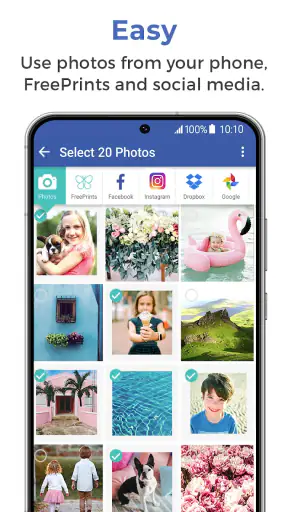
The basic routine is easy to understand. I begin with a clear subject, such as a family weekend, a child’s school year, a holiday, or a collection of favorite moments from a particular period. Choosing the subject first prevents the common mistake of opening the photo library and trying to make one book contain everything.
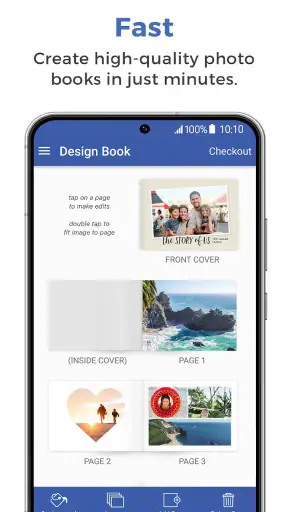
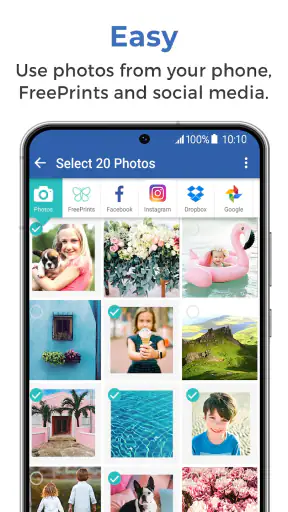
From there, I select images that belong together and review them with the book’s page structure in mind. This is where the app becomes more useful than simply sending a large batch of pictures to a print service. A book needs rhythm: a strong opening image, a few pages with related moments, and enough variation that every page does not look identical.
I recommend doing a quick edit before importing photos. Crop away distracting edges, check that faces are visible, and avoid relying on a picture that only looks good because it is displayed very small on a phone. A slightly soft image can still be meaningful, but printing makes flaws more noticeable. The app helps with arranging the project; it cannot rescue an image that was badly framed or blurred when it was taken.
For an ordinary family scenario, I would create a book after a trip rather than attempting it during the trip. I would first mark the best photos while the memories are fresh, then separate them into small groups: arrival, activities, meals, scenery, and the return home. This creates a natural story and makes the selection process faster. It also avoids filling pages with ten nearly identical shots of the same view.
One useful habit is to make a temporary album on the phone before opening the app. I can remove screenshots, accidental duplicates, receipts, and pictures that only made sense in the moment. That preparation is more important than it sounds because the hardest part of photobook creation is usually deciding what to leave out.
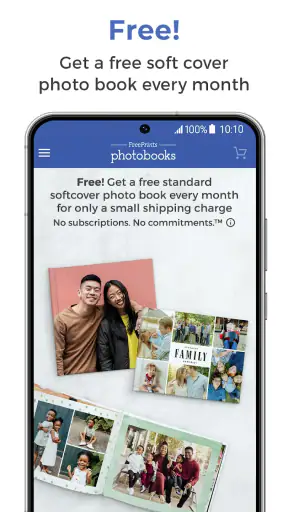
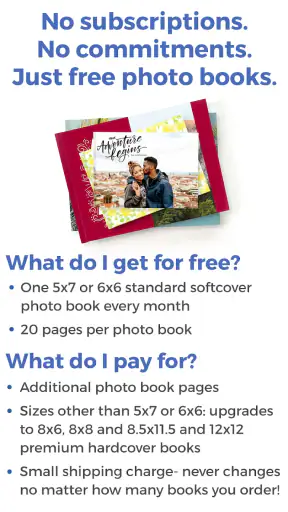
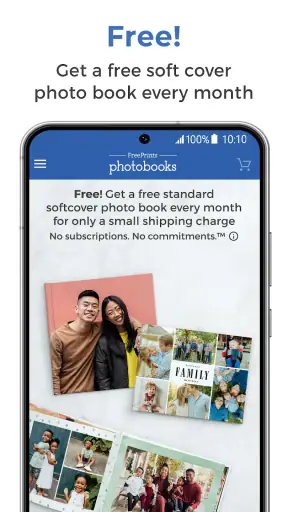
The app is rated for Everyone, which suits its role as a family-oriented photography tool. Its free price also makes it approachable for someone who wants to test the process without first committing to a paid editing application. The important distinction is that the app itself being free does not mean every physical printing or delivery choice should be treated as cost-free; I would always inspect the final order summary carefully before confirming anything.
Choosing photos without losing the story
I get better results when I select photos for variety instead of selecting only the technically sharpest images. A book made entirely from posed portraits can feel repetitive, while a mixture of people, details, places, and candid moments feels more personal. The strongest image is not always the most polished one; sometimes a slightly imperfect photograph carries the memory that makes the whole page worthwhile.
At the same time, I avoid using several versions of the same moment. If five photos show the same group standing in the same place, I keep the one with the clearest expressions and perhaps one wider scene-setter. That leaves room for images that explain what happened before and after.
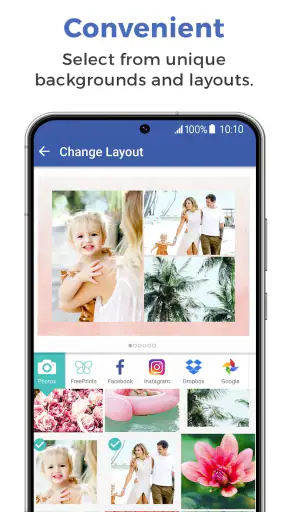
Another practical tip is to check orientation early. A landscape photo and a portrait photo can have very different visual weight in a page layout. If I mix them without thinking, the book may feel uneven, even when all the photos are good. Selecting a deliberate balance of orientations gives the final result a more considered appearance.
Settings and choices worth checking before finishing
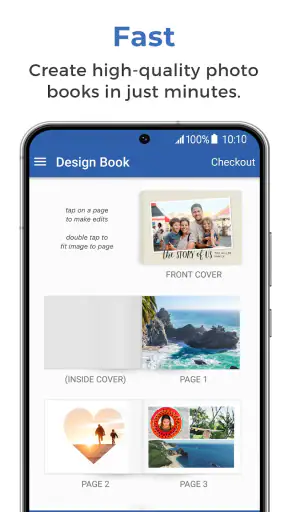
I would not rush from photo selection straight to the final order screen. The most valuable review step is a page-by-page inspection at the largest available preview. I look for faces close to an edge, important objects hidden by a crop, and pages that feel overloaded compared with the ones around them.
Text deserves the same attention. If I add a title or caption, I keep it short and use it to identify a place, event, or date rather than narrating what the picture already shows. Long captions compete with the photographs and can make a simple family book feel like a scrapbook assembled in a hurry.
Before approving anything, I check the cover separately from the inside pages. The cover is the first thing people see and is often the part most likely to be judged as a finished object. I prefer one clear image and a title that remains readable at a glance. A busy collage may include more memories, but it can lose impact when reduced to a small cover view.
I also inspect the order of pages after making late changes. Moving one photo can disturb the sequence, especially if I have built a visual progression from wide scenes to close-up portraits. My repeatable routine is simple: select, arrange, preview, pause, and preview again later. That short break helps me notice duplicates and awkward transitions that were invisible during the first enthusiastic pass.
The current version is 3.18.0, and the app requires iOS 10 or later. For someone using a supported device, that broad system requirement is convenient, but I would still keep the operating system and app reasonably current. Printing projects are not ideal places to discover that an older phone has trouble with image loading or previewing.
Faster patterns for repeat projects
Experienced use is less about finding a mysterious shortcut and more about repeating a sensible sequence. I keep one phone album for each future book, with a clear name and a rough limit on its contents. When I add a new photo, I decide immediately whether it belongs in the project. That prevents the final selection from becoming a second, much larger sorting job.
For recurring occasions, I use the same editorial structure each time. A yearly family book might begin with a simple title page, continue through seasons or major events, and end with informal favorites. A child’s activity book might use one section per event. The structure does not need to be elaborate; consistency makes the books easier to compare and much quicker to assemble.
I also avoid designing while tired. It is tempting to finish a book late at night, but fatigue encourages duplicate photos and rushed approvals. If the project matters, I save the draft and return to it with fresh eyes. This is especially useful when the book contains many similar pictures, because the differences are easier to evaluate after a break.
Another efficient pattern is to make a “must include” group and a “maybe” group before building pages. The must-have images define the story. The maybe group fills gaps only when a page needs a quieter image or a different perspective. This prevents the common problem of forcing every acceptable photo into the book simply because it was taken.
For gifts, I prepare the recipient’s viewpoint rather than my own. I ask whether the person will recognize the people, understand the sequence, and enjoy the less-than-perfect candid shots. A photobook for grandparents can benefit from clear faces and simple captions, while a travel book for a friend may work better with scenery and small details from the trip.
The app’s audience is reflected in its popularity: it has more than a million installs, a 4.8 average from roughly fifty-one thousand ratings, and around sixteen thousand written reviews. Those figures suggest that the straightforward workflow resonates with many people, but they do not remove the need to inspect a personal project carefully. A convenient tool can still produce a disappointing book when the source photos or final arrangement are weak.
Where the simple approach becomes a limitation
My main reservation is that convenience and control pull in opposite directions. FreePrints Photobooks is attractive when I want a guided route from phone pictures to a printed album. It is less suitable when I want complete control over typography, spacing, color management, page dimensions, or a highly specific visual identity.
Someone creating a professional portfolio, a wedding album with strict design requirements, or a book with carefully controlled branding may prefer a dedicated layout application or a specialist photo-printing service. Those alternatives usually demand more time and attention, but that extra effort is justified when the design itself is the project.
I would also skip this app if my photos are spread across many locations and I am unwilling to organize them first. The app can make the assembly stage easier, but it does not eliminate the mental work of deciding which images belong together. A person expecting automatic storytelling from an unfiltered camera roll may find the process less effortless than the short store summary suggests.
There is a similar trade-off for people who want to edit every photograph inside the same application. I prefer correcting exposure, cropping, and removing distractions before I start the book. If advanced retouching is central to the project, I would use a dedicated editor first and then bring the finished images into the photobook workflow. That two-step approach is slower, but it gives me more predictable results.
Storage and attention are practical concerns too. A large project can involve many high-resolution images, and switching repeatedly between apps can become irritating on a smaller phone. I get the smoothest experience when I prepare the selection in advance and avoid continuously importing and removing photos while trying to design pages.
Finally, I treat the last preview as an approval stage, not a formality. Printed pages cannot be fixed by pinching and zooming after the order is complete. I check spelling, image order, faces near borders, and whether the cover communicates the subject. That habit is more valuable than experimenting with decorative elements.
Who will enjoy it most
I would recommend it to families, travelers, grandparents, parents, and anyone who wants a physical record without learning complex design software. It is particularly well suited to people who already take photos on a phone and want a repeatable way to turn selected memories into gifts or keepsakes.
It also works well for a person who values speed over unlimited creative control. The free entry point lowers the barrier to trying a first book, while the familiar photography focus keeps the task understandable. I can imagine using it for a vacation recap, a baby’s first months, a graduation memory book, or a small collection of everyday moments that would otherwise remain buried in the camera roll.
I would recommend a different route to photographers who need exact print specifications or who already have a carefully designed template. They may find the app’s guided nature restrictive. Likewise, people who only want to share a digital album should probably stay with their existing gallery or cloud service; printing is the reason this app makes sense.
My verdict after building a repeatable habit
FreePrints Photobooks succeeds because it focuses on a recognizable problem: personal photos are easy to collect and surprisingly hard to finish. PlanetArt has positioned this free photography app as a practical bridge between a phone gallery and a physical photobook, and I think that is the right ambition.
My best results came from treating the app as the final assembly tool in a small workflow. I organized photos first, edited obvious problems before importing, built a story instead of a random grid, and checked every page twice. Those habits made the experience faster and improved the finished book more than any decorative choice.
The app is not the right answer for unlimited design freedom, professional print control, or automatic organization of a chaotic library. Its strength is narrower and more useful: it makes the path from selected phone photos to a personal book feel manageable. With the current version at 3.18.0 and a mature user base behind it, I see it as a sensible starting point for anyone who wants to create a keepsake without turning the process into a major design project.
My recommendation is simple: use it when the memories matter more than elaborate layout control, prepare your photos before you begin, and never skip the final page-by-page review. If that balance matches what you want, this is an easy app to keep in your photography routine.


